v0.3.1 — Your photos at a glance.
Open http://indexit.localhost:17840/ in a browser: the image service now shows what it keeps on your Mac, what it served and what still needs a look. When it starts without a config file, it writes one with every setting in it, ready to edit.
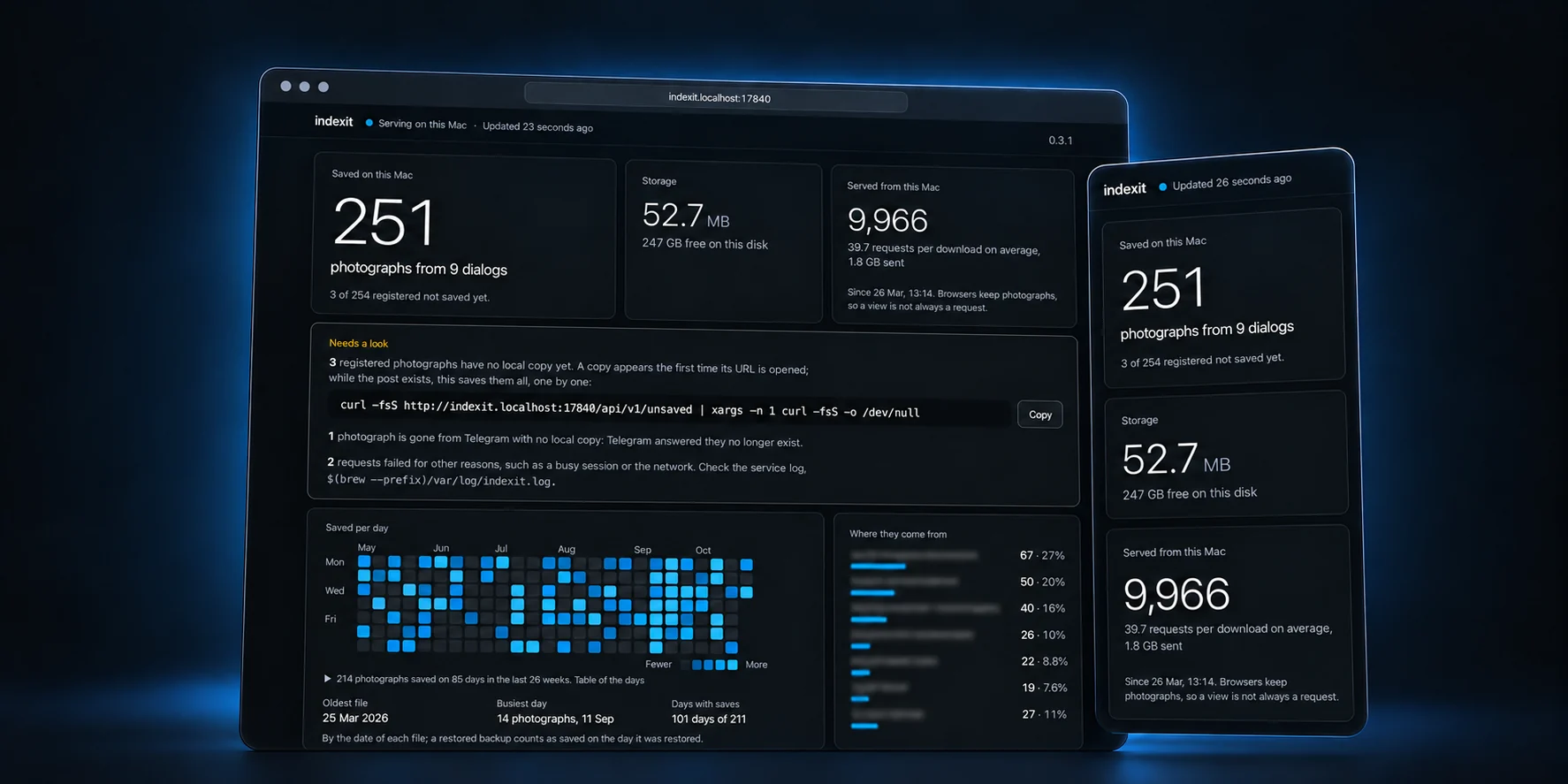
A dashboard of your photographs
- How many photographs this Mac keeps, from how many dialogs, their size and the free space left on the disk.
- How many requests the service answered from disk, and how many requests each download served on average.
- The days photographs were saved over the last 26 weeks, the dialogs they come from and the ten latest, with links to each photograph and its Telegram post.
- What needs a look: photographs a fetch registered but nobody opened yet, which are lost with the post, with one command that saves them all; photographs Telegram says no longer exist; failed requests.
- The page updates by itself while it is open, works in dark and light mode and on a phone-sized window, and loads nothing from the internet.
/api/v1/statsgives the same numbers as JSON, and/api/v1/unsavedlists the photographs without a local copy.- After the upgrade,
brew services restart octolab/tap/indexitstarts the service with the dashboard. - The page answers only on this Mac and not through a proxy. With an origin outside this Mac, it stays off unless you turn it on;
dashboard = falseunder[service]turns it off anywhere.
A config file to start from
indexit service runwrites~/.config/indexit/config.tomlwhen there is none:originanddashboardunder[service], commented out with their defaults. Uncomment a line to change it.- An existing file is never touched, and a service that can’t write one still starts.
Upgrade: on macOS, run brew update followed by brew upgrade --formula octolab/tap/indexit. For a manual installation, use a v0.3.1 release archive . Run indexit version to check the installed version. If you use the agent skill, replace it with the new binary’s copy.